
If you’ve ever experienced a website project that dragged on for months, blew past budget, or delivered results that missed the mark, the problem likely started before design work even began—with an incomplete or unclear design brief.
A comprehensive design brief is the foundation of every successful website project. It aligns stakeholders, sets clear expectations, and provides your design team with the strategic context they need to deliver a website that achieves your business goals—not just one that looks good.
According to industry research, projects with well-defined briefs are three times more likely to launch on time and within budget. Conversely, poorly scoped briefs increase project costs by an average of 40% due to scope creep, revisions, and miscommunication.
Whether you’re a CMO planning a complete website overhaul, a UX Director optimizing conversion paths, or a founder launching your first digital presence, this guide will help you create a design brief that sets your project up for success.
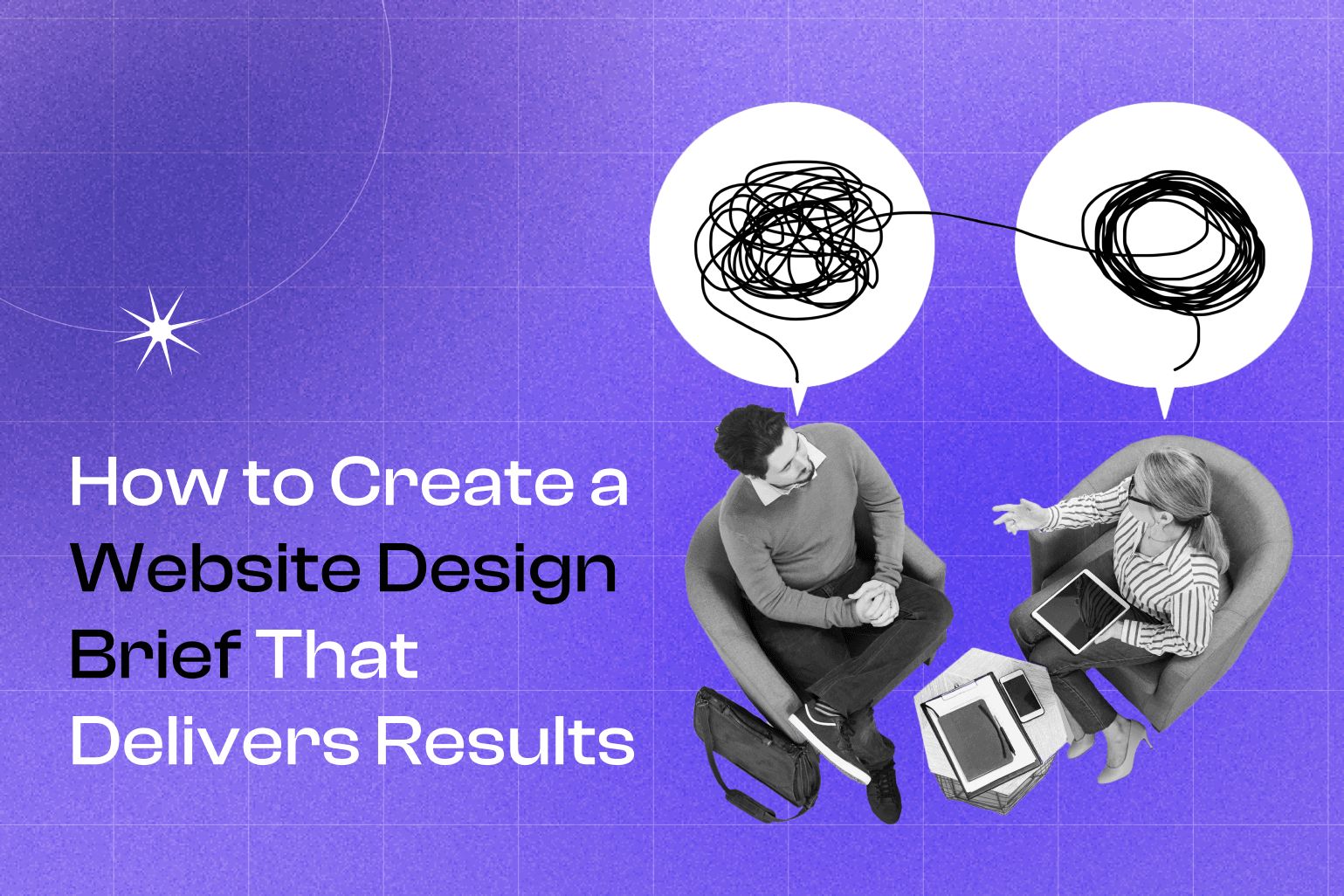
What Exactly Is a Website Design Brief?
A website design brief is a strategic document that outlines your project’s objectives, requirements, constraints, and success criteria. It serves as the single source of truth for everyone involved—from designers and developers to stakeholders and project managers.
A complete design brief includes:
- Business context – Your company background, market position, and competitive landscape
- Project goals – Measurable objectives tied to business outcomes
- Target audience – Detailed user personas and behavioral insights
- Scope and deliverables – What’s included (and what’s not)
- Technical requirements – Platform preferences, integrations, and special functionality
- Brand guidelines – Visual identity standards and tone of voice
- Content strategy – Who creates what, and when
- Timeline and budget – Realistic expectations for both
- Success metrics – How you’ll measure results post-launch
Think of your design brief as a roadmap. The more detailed and accurate it is, the smoother your journey will be.
Pro tip: Many agencies offer free design brief templates to help structure your thinking. Using a standardized template ensures you don’t overlook critical elements.
Why Your Design Brief Matters More Than You Think
The Cost of Ambiguity
When briefs lack clarity, projects suffer:
- Timeline delays – Waiting for decisions and clarifications adds weeks or months
- Budget overruns – Scope creep and revisions inflate costs by 30-50%
- Misaligned results – Beautiful designs that don’t convert or meet business needs
- Stakeholder friction – Conflicting feedback loops and “design by committee” paralysis
- Missed opportunities – Launching without optimization infrastructure means leaving revenue on the table
The Value of Precision
A well-crafted design brief:
- Accelerates delivery – Clear direction enables faster decision-making (some subscription-based agencies like Passionates deliver requests in 1-3 working days)
- Reduces costs – Fewer revisions and scope changes keep projects on budget
- Improves outcomes – Strategic alignment between design and business goals drives measurable ROI
- Enables optimization – Built-in analytics and testing frameworks support continuous improvement
- Streamlines collaboration – Everyone works from the same playbook
See below for some websites we’ve designed and developed:

Skild

Rising Ballers
Primed Pharmacy

WolfPak
Type Department
Fertifa
Carbo Jewelers
The One Page Plan
Wild Prizes
Andovar
Brandingo
Ordo
Chefsdrop
Brocsway

Counting House
Digital Switzerland
Delamain
Science Walks

Transcend
London Law Collective
Step 1: Document Your Company Background and Brand Foundation
Why This Matters
Your design team can’t create an effective website without understanding your business. Context informs every decision—from visual style to user experience architecture to messaging strategy.
What to include:
- Company overview – What you do, who you serve, and what makes you different
- Industry context – Market dynamics, regulatory considerations, seasonal factors
- Brand history – Evolution of your visual identity and messaging
- Existing brand assets – Logos, color palettes, typography, imagery style, tone of voice
- Brand guidelines – If you have a formal brand book, share it; if not, flag brand development as a project deliverable
Action Steps
If you have established branding:
- Compile all existing brand guidelines into a shared folder
- Include examples of on-brand and off-brand executions
- Specify which elements are flexible vs. non-negotiable
If you need brand development:
- Clearly state this in your brief as a prerequisite or parallel workstream
- Share any visual inspiration or competitive examples you admire
- Identify key brand attributes you want to communicate (e.g., trustworthy, innovative, accessible)
Red flag: If your design team doesn’t ask detailed questions about your brand, they may not be equipped to deliver strategic work.
Step 2: Conduct and Share Competitive Intelligence
Why This Matters
Understanding your competitive landscape helps your design team position your website to stand out. Competitor analysis reveals industry best practices, identifies differentiation opportunities, and sets realistic benchmarks.
What to analyze:
Direct competitors (3-5 companies offering similar solutions):
- Website structure and navigation patterns
- Conversion paths and calls-to-action
- Content strategy and messaging
- Visual design trends in your industry
- Technical features and functionality
Indirect competitors (companies solving the same problem differently):
- Alternative approaches to user experience
- Innovative features you could adapt
- Messaging strategies that resonate with your shared audience
Action Steps
Create a simple competitive analysis document:
- Screenshot key pages – Homepage, product/service pages, pricing, contact
- Note what works – Effective design patterns, compelling copy, smart UX decisions
- Identify gaps – What they’re missing that you can capitalize on
- Highlight concerns – Elements you want to avoid or improve upon
Pro tip: Don’t just focus on design aesthetics. Pay attention to conversion optimization elements like trust signals, social proof, and friction reduction.
Step 3: Define Your Target Audience with Precision
Why This Matters
Websites that try to appeal to everyone end up resonating with no one. Detailed audience insights enable your design team to make strategic decisions about information architecture, content hierarchy, visual style, and conversion optimization.
What to include:
Demographic data:
- Job titles and seniority levels
- Company size and industry
- Geographic location
- Budget authority and decision-making power
Psychographic insights:
- Pain points and challenges
- Goals and desired outcomes
- Objections and concerns
- Preferred communication styles
- Research and buying behaviors
Behavioral data:
- How they currently find you (organic search, referrals, paid ads)
- Devices they use (mobile vs. desktop)
- Content they engage with
- Questions they ask during the sales process
Action Steps
Create 2-3 detailed buyer personas:
Example: “Marketing Director Maria”
- Director of Marketing at a B2B SaaS company (50-200 employees)
- Responsible for lead generation and brand positioning
- Pain points: Outdated website hurting conversion rates, lack of analytics visibility, slow agency response times
- Goals: Increase demo requests by 40%, improve brand perception, enable rapid iteration
- Decision criteria: Proven CRO expertise, fast turnaround, transparent pricing
Share existing research:
- Customer interviews and surveys
- Analytics data (most visited pages, drop-off points, conversion funnels)
- Sales team insights (common objections, frequently asked questions)
- Support ticket themes
Red flag: If your design team doesn’t ask about your target audience, they’re likely creating based on aesthetic preferences rather than strategic insights.
Step 4: Establish Clear, Measurable Project Goals
Why This Matters
“Make our website better” isn’t a goal—it’s a wish. Measurable objectives enable your team to make strategic trade-offs, prioritize features, and validate success post-launch.
Common website goals:
Lead generation:
- Increase contact form submissions by X%
- Grow email newsletter subscribers
- Boost demo or consultation requests
E-commerce:
- Improve conversion rate from X% to Y%
- Increase average order value
- Reduce cart abandonment
Brand awareness:
- Increase organic search traffic
- Improve time on site and pages per session
- Grow social shares and backlinks
User experience:
- Reduce bounce rate on key pages
- Improve mobile usability scores
- Increase return visitor rate
Operational efficiency:
- Automate lead qualification
- Reduce support ticket volume through better self-service content
- Streamline internal content management
Action Steps
Prioritize your goals:
- Primary goal – The single most important outcome (e.g., “Increase qualified leads by 50% within 6 months”)
- Secondary goals – Supporting objectives (e.g., “Improve brand perception,” “Reduce bounce rate”)
- Success metrics – How you’ll measure each goal (specific KPIs, tracking methods, benchmarks)
Step 5: Define Project Scope and Deliverables
Why This Matters
Scope ambiguity is the leading cause of project delays and budget overruns. Crystal-clear deliverables prevent misunderstandings and enable accurate resource planning.
Key scope decisions:
New Website vs. Redesign
Building from scratch:
- Complete freedom in platform selection and architecture
- Longer timeline but optimized foundation
- Ideal for: New businesses, major pivots, outdated technology stacks
Redesigning existing site:
- Must account for current platform, content, and technical debt
- Faster if infrastructure is sound
- Ideal for: Refreshing outdated design, improving conversion, adding functionality
Specify in your brief:
- Current platform (WordPress, Shopify, Webflow, custom code)
- What’s working that should be preserved
- What’s broken that must be fixed
- Migration requirements (content, SEO, redirects)
Pages and Templates
List every page type needed:
Standard pages:
- Homepage
- About/Company
- Products/Services (specify how many)
- Pricing
- Case Studies/Portfolio
- Blog/Resources
- Contact
Custom templates:
- Product detail pages
- Landing pages for campaigns
- Resource/download pages
- Team member profiles
- Location pages
Functionality requirements:
- Forms (specify fields and integrations)
- Search functionality
- Filtering and sorting
- User accounts/portals
- Booking/scheduling systems
- E-commerce (product catalog size, payment gateways, shipping logic)
Technical Integrations
Specify required connections:
Marketing & CRM:
- HubSpot, Salesforce, Marketo, ActiveCampaign, Mailchimp
Analytics & Testing:
- Google Analytics 4, Mixpanel, Hotjar, Optimizely, VWO
E-commerce & Payments:
- Shopify, WooCommerce, Stripe, PayPal
Automation & Workflows:
- Zapier, Make, n8n, custom API integrations
AI & Personalization:
- Chatbots, dynamic content, recommendation engines
Content Management
Clarify content ownership:
Agency-created content:
- Website copy (specify pages)
- Blog articles (specify quantity and topics)
- SEO optimization
- Multimedia (video scripts, infographics)
Client-provided content:
- Product descriptions
- Case studies
- Team bios
- Legal pages (privacy policy, terms of service)
Hybrid approach:
- Client provides raw information
- Agency structures, edits, and optimizes
Pro tip: Content delays are the #1 cause of timeline slippage. If you’re providing content, commit to deadlines and assign a dedicated owner.
Step 6: Specify Technical Requirements and Platform Preferences
Why This Matters
Platform decisions impact long-term flexibility, cost, and performance. Your design team needs to understand your technical constraints and preferences upfront.
Platform considerations:
WordPress:
- Ideal for: Content-heavy sites, blogs, enterprise flexibility
- Pros: Extensive plugin ecosystem, full customization control
- Cons: Requires ongoing maintenance and security updates
Webflow:
- Ideal for: Modern design-forward sites, marketing sites
- Pros: Visual development, fast performance, designer-friendly
- Cons: Learning curve for non-technical editors
Shopify:
- Ideal for: E-commerce, subscription businesses
- Pros: Robust e-commerce features, secure payment processing
- Cons: Limited customization outside e-commerce
Custom development:
- Ideal for: Unique functionality, enterprise scale
- Pros: Complete control, optimized performance
- Cons: Higher cost, longer timeline, ongoing developer dependency
Action Steps
Specify in your brief:
- Platform preference (or openness to recommendations)
- Hosting requirements (managed vs. self-hosted, geographic considerations)
- Performance expectations (page load speed targets, Core Web Vitals)
- Accessibility compliance (WCAG 2.1 AA, ADA requirements)
- Security needs (SSL, data encryption, compliance standards)
- Mobile requirements (responsive vs. adaptive, app integration)
- Browser support (modern browsers only vs. legacy support)
- Multilingual needs (languages, translation workflow)
Red flag: If your design team doesn’t discuss technical trade-offs and recommend a platform based on your goals, they may lack development expertise.
Step 7: Establish Timeline Expectations and Project Phases
Why This Matters
Realistic timelines prevent frustration and enable proper resource allocation. Understanding typical project phases helps you plan internal coordination and content delivery.
Typical website project phases:
Discovery & Strategy (1-2 weeks)
- Stakeholder interviews
- Competitive analysis
- User research
- Information architecture
- Content strategy
Design (2-4 weeks)
- Wireframes and user flows
- Visual design concepts
- Design system development
- Stakeholder review and revisions
Development (3-6 weeks)
- Front-end build
- CMS integration
- Custom functionality
- Third-party integrations
- Responsive optimization
Content & Testing (2-3 weeks)
- Content population
- Quality assurance
- Browser and device testing
- Performance optimization
- Accessibility audit
Launch & Optimization (1-2 weeks)
- Staging review
- DNS and hosting setup
- Launch
- Post-launch monitoring
- Initial optimization
Total traditional timeline: 9-17 weeks (2-4 months)
Alternative: Subscription-Based Approach
Modern agencies like Passionates offer subscription models that compress timelines through dedicated resources:
- 1-3 working days per request (individual tasks)
- Parallel workstreams (multiple specialists working simultaneously)
- Iterative delivery (launch MVP, then continuously optimize)
- Scalable resources (add capacity for faster delivery)
Action Steps
In your brief, specify:
- Desired launch date (and flexibility)
- Hard deadlines (trade shows, product launches, seasonal peaks)
- Internal approval processes (how many stakeholders, decision timeline)
- Content delivery schedule (when you’ll provide materials)
- Blackout periods (holidays, busy seasons when you can’t review)
Pro tip: Build buffer time for unexpected delays. If you need to launch by October 1, set an internal target of September 15.
Step 8: Define Budget Parameters and Investment Expectations
Why This Matters
Transparent budget discussions enable your design team to recommend the right approach and prevent scope creep. Understanding pricing models helps you make informed decisions.
Common pricing models:
Traditional Project-Based
- Structure: Fixed fee for defined scope
- Pros: Predictable total cost, clear deliverables
- Cons: Change orders add cost, limited post-launch support
- Typical range: $15,000-$150,000+ depending on complexity
Hourly/Time & Materials
- Structure: Pay for actual time spent
- Pros: Flexibility for evolving requirements
- Cons: Unpredictable total cost, requires close monitoring
- Typical range: $150-$300/hour for senior specialists
Subscription/Retainer
- Structure: Monthly fee for ongoing access to design/development resources
- Pros: Continuous optimization, predictable costs, rapid iteration
- Cons: Requires commitment period
- Typical range: $5,000-$12,500/month for dedicated senior resources
Action Steps
In your brief, specify:
- Total budget range (be realistic—quality work requires investment)
- Budget breakdown (design vs. development vs. content vs. ongoing)
- Payment terms preference (milestone-based, monthly, upfront)
- Post-launch budget (maintenance, hosting, optimization)
Hidden costs to anticipate:
- Premium plugins or themes ($200-$2,000)
- Stock photography or custom imagery ($500-$5,000)
- Hosting and domain ($200-$2,000/year)
- SSL certificates and security ($100-$500/year)
- Third-party integrations ($50-$500/month)
- Ongoing maintenance and updates ($500-$2,000/month)
- Content creation ($1,000-$10,000)
Pro tip: Agencies that won’t discuss budget upfront often surprise you with costs later. Transparent pricing is a sign of professionalism.
Step 9: Plan for Post-Launch Success and Optimization
Why This Matters
Launching your website isn’t the finish line—it’s the starting line. The most successful websites are continuously optimized based on real user data.
Post-launch priorities:
Analytics and Tracking Setup
- Google Analytics 4 – Traffic, behavior, and conversion tracking
- Heatmaps and session recordings – Hotjar, Microsoft Clarity
- Form analytics – Completion rates, field abandonment
- CRM integration – Lead source attribution, revenue tracking
Conversion Rate Optimization (CRO)
- A/B testing – Systematic experimentation with headlines, CTAs, layouts
- Multivariate testing – Testing multiple elements simultaneously
- User feedback – Surveys, polls, on-site feedback tools
- Funnel analysis – Identifying and fixing drop-off points
Ongoing Maintenance
- Security updates – Plugin and core software patches
- Performance monitoring – Page speed, uptime, error tracking
- Content updates – Blog posts, case studies, product information
- SEO optimization – Keyword monitoring, technical SEO, link building
Action Steps
In your brief, specify:
- Analytics requirements (platforms, custom tracking, reporting frequency)
- Optimization goals (CRO targets, testing roadmap)
- Maintenance approach (in-house, agency retainer, subscription model)
- Content strategy (blogging frequency, resource creation)
Subscription advantage: Agencies offering unlimited subscriptions (like Passionates’ Optimize and Innovate tiers) provide continuous CRO, A/B testing, and optimization as part of the monthly fee—eliminating the need for separate contracts.
Pro tip: Budget 20-30% of your initial website investment for first-year optimization and maintenance. Websites that aren’t actively improved decline in performance over time.
Step 10: Clarify Roles, Responsibilities, and Decision-Making Authority
Why This Matters
Unclear approval processes create bottlenecks and “design by committee” paralysis. Defining roles upfront streamlines collaboration and prevents conflicting feedback.
Key roles to define:
Client-Side
- Project sponsor – Executive stakeholder with final approval authority
- Project lead – Day-to-day point of contact
- Subject matter experts – Provide content and technical input
- Reviewers – Provide feedback but don’t have veto power
Agency-Side
- Project manager – Coordinates timeline, resources, and communication
- Design lead – Oversees visual design and UX strategy
- Development lead – Manages technical implementation
- Specialists – Designers, developers, copywriters, CRO analysts, AI engineers
Action Steps
In your brief, specify:
- Decision-maker (who has final approval on design, content, functionality)
- Approval process (how many review rounds, timeline for feedback)
- Feedback consolidation (single point of contact vs. multiple stakeholders)
- Communication preferences (email, Slack, project management tools, meeting frequency)
Best practices:
- Limit stakeholders – Too many voices dilute strategic direction
- Consolidate feedback – One person compiles and prioritizes input
- Set response deadlines – “Feedback due within 3 business days”
- Define revision rounds – Typically 2-3 rounds per phase
- Escalation path – Process for resolving disagreements
Red flag: If your design team doesn’t establish a clear approval process, expect delays and frustration.
Common Design Brief Mistakes to Avoid
1. Vague Goals
Wrong: “We want a modern, professional website.”
Right: “Increase demo requests from 50 to 75/month by improving homepage conversion rate from 2% to 3.5%.”
2. Incomplete Audience Research
Wrong: “Our target audience is businesses.”
Right: “Marketing directors at B2B SaaS companies (50-200 employees) struggling with outdated websites hurting lead generation.”
3. Scope Ambiguity
Wrong: “We need a website with all the standard pages.”
Right: “Homepage, 3 service pages, 10 case studies, pricing page, blog with 20 migrated articles, contact form with HubSpot integration.”
4. Unrealistic Timelines
Wrong: “We need this done in 2 weeks.”
Right: “We’d like to launch in 8-10 weeks. Our priority is quality over speed, but we have a hard deadline of October 15 for a trade show.”
5. Budget Secrecy
Wrong: “Just send us a proposal and we’ll see.”
Right: “Our budget is $40,000-$60,000 for the initial build, plus $2,000-$3,000/month for ongoing optimization.”
6. No Post-Launch Plan
Wrong: “We just need the website built.”
Right: “We need the website built with Google Analytics 4, Hotjar, and a 3-month CRO roadmap to optimize conversion rates post-launch.”
How Passionates Streamlines the Design Brief Process
At Passionates, we’ve refined the design brief process to eliminate common pain points:
Subscription-Based Flexibility
Instead of lengthy RFP processes and fixed-scope proposals, our Grow, Optimize, and Innovate tiers provide on-demand access to senior specialists:
- Grow ($8,000/month full-time) – Design, branding, web development
- Optimize ($10,000/month full-time) – Grow services + UX research, CRO, A/B testing
- Innovate ($12,500/month full-time) – Optimize services + AI implementation, automation
Rapid Delivery
Our dedicated resources deliver requests in 1-3 working days, enabling rapid iteration instead of waiting weeks between milestones.
Scalable Resources
Need faster delivery? Stack multiple subscriptions to add capacity. Five full-time resources can tackle complex projects in weeks instead of months.
Comprehensive Expertise
One subscription provides access to senior designers, developers, UX researchers, CRO specialists, and AI engineers—eliminating the need to coordinate multiple vendors.
No Hidden Fees
Transparent monthly pricing with no cancellation penalties. Pause or cancel anytime.
Ready to start your website project with a crystal-clear brief? Book a 30-minute consultation to discuss your goals and get expert guidance on scoping your project effectively.
Portfolio: Websites We’ve Designed and Developed
Our team has delivered high-performing websites across industries:
- Avalara – Enterprise SaaS redesign focused on lead generation and UX optimization
- Cotality – Complete web design and development for emerging tech company
- Qualtrics – Graphic and motion design for experience management platform
- Maslansky + Partners – End-to-end creative for strategic communications firm
Final Thoughts: Your Design Brief Is an Investment in Success
A comprehensive design brief requires time and strategic thinking—but it’s one of the highest-ROI investments you can make in your website project.
The benefits compound:
- Faster delivery – Clear direction eliminates back-and-forth
- Better results – Strategic alignment drives measurable business outcomes
- Lower costs – Fewer revisions and scope changes keep budgets intact
- Smoother collaboration – Everyone works from the same playbook
- Continuous improvement – Built-in optimization infrastructure supports long-term growth
Whether you’re working with a traditional agency, building in-house, or leveraging a subscription model like Passionates, the quality of your design brief directly correlates with the success of your website.
Invest the time upfront. Your future self will thank you.
Need help creating your design brief? Our team provides complimentary brief consultations to ensure your project starts on the right foundation. Schedule your consultation →
