Building and launching a website is indeed very important for businesses. Websites ensure the brand’s online presence, help owners generate new leads, and increase sales. Although, besides building and designing a website, it’s also important to take care of its security.
Although a hacked website is probably the last point on your to-do list, you shouldn’t underrate it. If you had a physical store, you would definitely install a security system or even hire special security personnel to protect it and your products, right? For the same reason, you need to protect your website too. A key sign of a security breach is unusual activity on your site, such as unexpected redirects, unauthorized changes, or browser warning messages. Browsers and Google Safe Browsing may display a warning to visitors if your website is hacked or suspicious activity is detected, alerting users to potential risks.
If your website is blacklisted by search engines due to security issues, access to your website may be blocked for users or by search engines until the problems are resolved.
Hackers often use compromised websites to perform malicious activities, such as redirecting visitors to phishing sites or distributing malware. So, today, we are going to learn everything you need to know about website security and what you can do when you‘ve been hacked.
Introduction to Hacked Websites
A hacked website is more than just a technical headache—it’s a direct threat to your business, your customers, and your reputation. In today’s digital world, security professionals warn that cyber security threats are constantly evolving, and no site is too small to be targeted. When hackers gain access to your website, they can inject malicious code, steal sensitive data, and compromise your website files, leading to data breaches and a loss of trust among your users.
In most cases, hacked sites are exploited to spread malware, launch phishing pages, or send out spam emails, turning your web server into a tool for cyber crime. This not only puts your visitors at risk but can also get your site blacklisted by search engines, causing it to disappear from search results and damaging your online presence. That’s why website security should be a top priority for every site owner, whether you’re running a WordPress blog, a Magento store, or a Drupal community.
Security incidents can happen for many reasons—weak passwords, outdated software, unsecured FTP accounts, or vulnerabilities in your website files. Attack vectors are constantly changing, and hackers are always looking for new ways to exploit security issues. To protect your site, it’s essential to work with a reliable hosting provider, use strong network security measures, and regularly scan your site with a reputable malware scanner. Monitoring your error logs for suspicious activity and checking your blacklist status can help you identify problems early before they escalate.
The cybersecurity community offers a wealth of free tools and resources to help you stay ahead of security threats. From WordPress security plugins to Joomla and Drupal extensions, and even Magento security patches, there are solutions for every platform. Regular malware detection scans, secure FTP accounts, and a robust web application firewall can make a world of difference in keeping your site safe.
Common signs that your website may be compromised include unexpected errors, strange links or code appearing on your pages, a spike in spam emails or comments, or warnings from your hosting company or Google. If you notice any of these red flags, act quickly—block access to your site if needed, scan for malware, and contact your hosting provider for support.
By taking a proactive approach to website security—regularly updating your software, scanning for malware, and monitoring for suspicious activity—you can help protect your online business from hackers. In the fast-moving world of cyber crime, staying vigilant and informed is your best defense. Use the tools and knowledge available, and work together with the cybersecurity community to keep your website, your data, and your users safe.
Why Should You Care About the Security of Your Website?
Your website is your digital store, and you must dedicate proper attention to its security. The world is changing on a daily basis bringing new threats to your business. If someone robbed your physical store, you would lose that day’s revenue. However, in the case of your business website, you have much more to lose, including your company’s information, your consumers’ personal information, and, finally, your digital presence. It is also crucial to monitor your domain’s reputation and regularly check if your domain is listed on blocklists, as this can help protect your business from being associated with spam or malware.
You can find many articles about cyberattacks on big players such as Apple, Burger King, and Facebook. Nevertheless, hackers are not targeting large companies only. Paradoxically, small businesses encounter unimaginable threats of being hacked, too. In fact, more than half of the cyberattacks are targeted at small to midsize businesses. The reason behind this is quite evident. According to the National Cybersecurity Alliance, 69% of small businesses lack a cybersecurity plan, creating favourable conditions for hackers to steal sensitive information and data.
Why Would Someone Want to Hack My Website?
There are a lot of reasons why hackers try to breach the security of websites. Some attackers may use your site as a stepping stone to compromise other websites hosted on the same server, increasing the risk for everyone sharing the same hosting environment. Some of them may even do that just to practice; however, below, you can find the two most common motives.
1. Acquisition of Data and Personal Information
There is a high possibility that the hacker is trying to access your database with your clients’ personal information. This may also include credit card details and social security numbers. You can find similar sensitive information for sale on the darknet. So, your website’s security should be your number one priority, especially when you have an eCommerce business.
2. Spamdexing
Hackers use Spamdexing which is a black hat SEO technique, to manipulate search engine rankings and promote their suspicious products or services through your website. For instance, if you’ve ever come across a clothing website selling medications, that’s most probably spamdexing at its finest.
However, some innovative programmers just upsell products linked to the hacked website, making it harder to detect the breach. So, Spamdexing is the practice of hacking a normal website and injecting keywords and links that direct people to the web property they want to scam them with. With this, they generate a lot of revenue and, in turn, destroy your website. According to Incapsula, this is a 431 billion dollar market. Remember that if Google detects a use of a black hat SEO technique on your website, it will ban you. This is definitely something you want to avoid.
Identifying Security Threats
Identifying security threats is the first line of defense in protecting your website from hackers, malware, and data breaches. Security professionals emphasize the importance of regular website scans to detect malicious code before it can do serious damage. By monitoring your website’s security logs and keeping a close eye on any suspicious activity, you can spot early warning signs of compromised websites or hacked sites—such as unexpected changes to website files, unauthorized FTP account access, or a sudden spike in spam folder issues.
Website security is not just about reacting to incidents, but about being proactive. Cyber security experts recommend setting up automated alerts for any unusual activity, so you can respond quickly to potential threats. This includes monitoring for malware detection alerts, failed login attempts, and changes to critical files. If you notice anything out of the ordinary, notify your hosting provider immediately and review your network security settings to ensure there are no open doors for cyber crime or phishing pages.
Remember, hackers are constantly evolving their tactics, and even the most secure sites can become targets. By regularly reviewing your accounts, data, and code, and by staying vigilant for signs of spam or compromised files, you can better protect your website and your users from the growing landscape of security threats.
How did Someone Hack My Website?
Firstly, you should remember that the one hacking your website is probably not an actual person but a crawler created by the hacker. If your software is out of date and you’re not using secured hosting, then you are very likely to become a target of a cyber-attack. Shared hosting environments can increase the risk of being hacked, as vulnerabilities in other sites on the same server may expose your website to threats.
So, if you got hacked, it is because the crawler detected in your site the specific vulnerabilities it was written to look for. Servers hosting multiple websites are common targets for such automated attacks. Thus, don’t rush to feel special. It’s just a great signal that you should start paying proper attention to the security of your website.
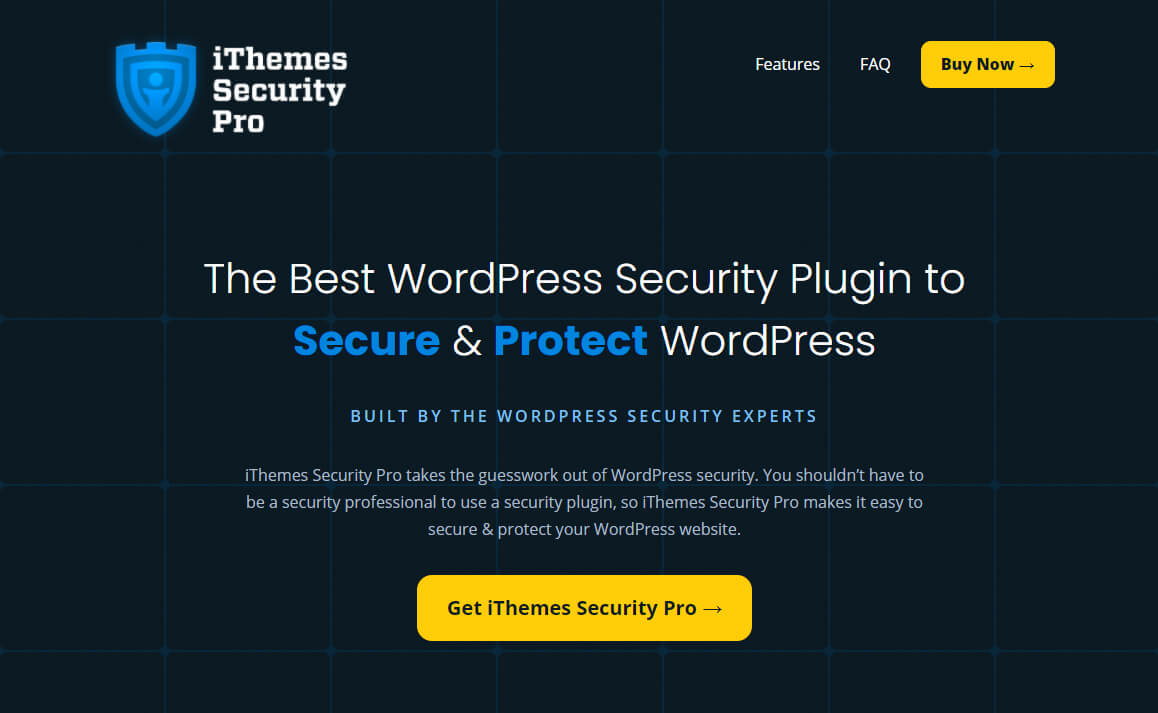
Using a plugin like iThemes Security Pro that allows for Two-factor Authentication is one of the best ways you can avoid malicious attacks.
Why did the Hacker Succeed?
So, the website’s security is the primary reason why your website gets attacked, but how exactly? Hackers succeed when:
- Your Content Management System and plugins are not up to date. Updating your website is necessary to make sure that the version your website runs on doesn’t contain any bugs. According to Sucuri.net, in 2019, 56% of hacked websites used outdated CMS applications. So, if you launched a website and completely forgot about updating it, your website will contain well-known security holes which the crawlers will detect and exploit. Therefore, if being an easy catch for hackers isn’t your number one priority, keep your website UP TO DATE.
- You have insecure hosting. If you are looking for another way to please your hacker’s greedy taste buds, we suggest using insecure hosting. If you store your consumers’ information on your server, you should ensure your server is secure. Otherwise, you will be an easy prey for stealing personal data and information. Besides, remember that your server also hosts your emails. So, insecure hosting creates favourable conditions for unauthorized users to access all the information in those emails.
- Many attacks exploit server side vulnerabilities that are not immediately visible to website owners, making it harder to detect issues without proper server-side scanning.
- Hackers may also target or modify the htaccess file to redirect traffic or hide malicious activity, which can be difficult to notice without checking server configuration files.
It is primarily due to the aforementioned issues that programmers successfully hack your website. Therefore, if you think something is wrong with your site and you have any of these vulnerabilities, don’t even ask yourself: “Have I been hacked?”
So, take care of your website’s security. Your consumers’ personal information and the credibility of your company need to be taken seriously.
Assessing the Damage
Once a security incident has occurred, assessing the damage is crucial to understanding the full impact on your website. Start by reviewing your error logs for any signs of malicious code or unauthorized changes—these logs can reveal when and how your site was compromised. Pay special attention to your htaccess file, as hackers often modify it to redirect traffic or conceal their activities.
Utilize a reputable malware scanner to check for known malware and determine your blacklist status. The cybersecurity community offers a variety of free and paid tools that can help you identify security threats and pinpoint the source of the breach. If your website is on shared hosting, remember that security issues can spread to other websites on the same server, so it’s important to act quickly to contain the damage.
Investigate all possible attack vectors, such as spam emails, suspicious links in search results, or unauthorized server-side scripts. Any unusual activity should be thoroughly examined to determine how the malware entered your site and which files or data were affected. By understanding the scope of the incident, you can take targeted steps to remove the threat, restore your site, and prevent future security issues.
My website has been hacked! What should I do?
If your website has been hacked, first and foremost, don’t panic and be quick. In this case, you simply cannot afford to be sluggish. Before taking further action, you need to determine the extent of the hack to understand what areas have been compromised. Submit your website URL to a remote malware scanner, such as SiteCheck, to analyze its safety status and detect any vulnerabilities or malware. If you act slowly, you will give Google time to identify your website as malicious and blacklist it. For your information, Google blacklists about 9,500 websites per day. If your website gets on the blacklist, it will be removed from search results, so when users search for something, your website won’t appear on the SERPs. Additionally, malicious activity on your hacked website can cause your legitimate emails to be diverted to the spam folder, impacting your communication and reputation.
Also, keep in mind that in case of detecting malware on your website, Google will automatically warn your visitors that it contains malicious codes that can potentially harm their computer/gadget. This may damage your company’s credibility, and most probably, the majority of your audience won’t return to your site.
It’s time to take some notes! Now that you know that panicking won’t solve your problem, let’s see what actually will. Below we will go over several practical steps you should take to handle a cyberattack and get your website back.
1. Contact Your Web Developer or Host
Firstly, if you are the owner of the website, reach out to your web developer or host as soon as possible and describe the situation, including as many details as you can.
2. Install a Maintenance Plugin
If you can access the Content Management System, you should log in and install a maintenance plugin. For instance, if you are using WordPress, then go through the following link to learn what maintenance mode is and how you can install it.
With this single action, you will solve two problems. First, you will save your visitors from getting affected by any malicious code resulting from the cyberattack. Secondly, Google won’t put any warnings on your site, and you will have enough time to solve the issue without getting blacklisted.
3. Scan Your Computer
There is a possibility that the cyber attack source came from your machine’s local environment, such as the Desktop. Many hackers would steal the login information right from your local environment to access your website as usually the owner would. So, scan your computer thoroughly and make sure to clean it up from any possible malware or viruses. The following link may be handy in the process of catching nasty viruses.
4. Try to Detect and Decode the Malicious Codes in Your Files
Many hackers practice obfuscation as a smart technique to hide the original code applied by the hacker, turning it into something illegible. There are various obfuscation techniques which include Base64, ROT13, XOR, etc. So, use decoding scripts to find out what kind of attack/code you need to deal with.
P.S. You can use the following platform for Base64 decoding.
5. Check the Footers, Headers, and File Permissions
There is a high possibility that it’s a Javascript frame injection attack. Thus it is vital to check the headers and footers. Furthermore, although your permissions may vary based on your server and PHP handler, make sure they are not set to 777.
6. Change Your Passwords and Secret Keys for WordPress
Don’t forget to change all your passwords for FTP / SFTP, WP-ADMIN, CPANEL, or other administration panels. Remember to use complex and unpredictable passwords. We would also highly recommend you consider using two-factor authentication. If you are using WordPress, then you should also change your WordPress config file secret keys. This step is essential to ensure you have encrypted and unpredictable passwords. Click the link to learn more about dealing with a hacked WordPress website.
7. Update Your Themes and Plugins
After getting rid of the virus, update all your themes and the CMS. Run a well-rounded inspection to make sure that all the affected parts work smoothly.
Checking Blacklist Status
After a security breach, checking your website’s blacklist status is essential to ensure your site isn’t being blocked by search engines or email providers. If your website is compromised by malicious code, phishing pages, or other security threats, it can quickly end up on a blacklist—leading to a dramatic drop in traffic, lost revenue, and a damaged reputation.
Use a reliable malware scanner to detect any lingering security issues and confirm whether your site has been flagged. Pay close attention to any errors or warnings in your website’s dashboard, and investigate the cause of any security incidents immediately. Platforms like WordPress, Joomla, and Drupal are frequent targets for hackers, so it’s especially important for users of these systems to stay vigilant.
To protect your website from being blocked, regularly update your software, use strong passwords, and monitor your security logs for signs of spam or compromised code. If you discover your site has been blacklisted, follow the recommended steps to remove the malicious content, request a review from the relevant authorities, and restore your site’s standing in search results and email systems.
Forensics
Once you have successfully cleaned your website from malware, it is important to analyze why it happened in the first place. To understand why the hackers could succeed, you should analyze and investigate the pain points of your website. Once you find the vulnerable parts of your site, you will be able to avoid future attacks. This requires special skills and knowledge. So, if you are the website owner, you may face some trouble conducting the investigation. However, if you have access to the essential metadata, then you can use the following platforms to run the analysis:
- OSSEC: A scalable, multi-platform, open source Host-based Intrusion Detection System (HIDS)
- Splunk: Cloud-Based data platform for cybersecurity
Final Thoughts
In short, today’s digitalized reality creates new threats to your business. If you think that having a website doesn’t require proper security measures, let me disappoint you. On average, about 30 thousand new websites are being hacked daily. You probably don’t want to be on this extensive list, right? So if you don’t want to experience the “have I been hacked?” feeling ever again, please pay decent attention to the security of your website.
- Take care of your website, and don’t leave it for months without any updates. Contact your web developer and make sure that your website gets proper updates on a regular basis.
- Make sure that you are using secure hosting. If you have any doubts, don’t be sluggish and contact professionals to get a hosting examination.
- Check the performance of your website using website monitoring platforms such as Pingdom. If you are experiencing slow rendering and performance, then it can be a signal of being targeted.
- Install good anti-virus programs on your computer to keep your local environment safe.